
Design Project
AI Labelling & Annotation Platform
Project Detail
Toptal needed an AI annotation platform that enterprise clients could set up and run themselves. It had to work for two very different groups of people: clients (product managers, data scientists, and ML engineers) who build and manage the annotation pipelines, and annotators (expert crowd workers with a wide mix of technical skills) who do the actual labelling. The main challenge was designing something that worked well for both groups at once.
As Lead UX Designer, I handled the entire product experience, from creating a project and setting up the workflow, to the annotation interfaces, qualification tests, QA, billing, and exporting results.
CLIENT
Toptal, AI Engeneer Team
PROJECT
AI Labelling app
ROLE
Lead UX Designer
DURATION
12 months, Full-time
Collaboration
-
General Manager
-
Engineer Team
-
Lead Product Designer

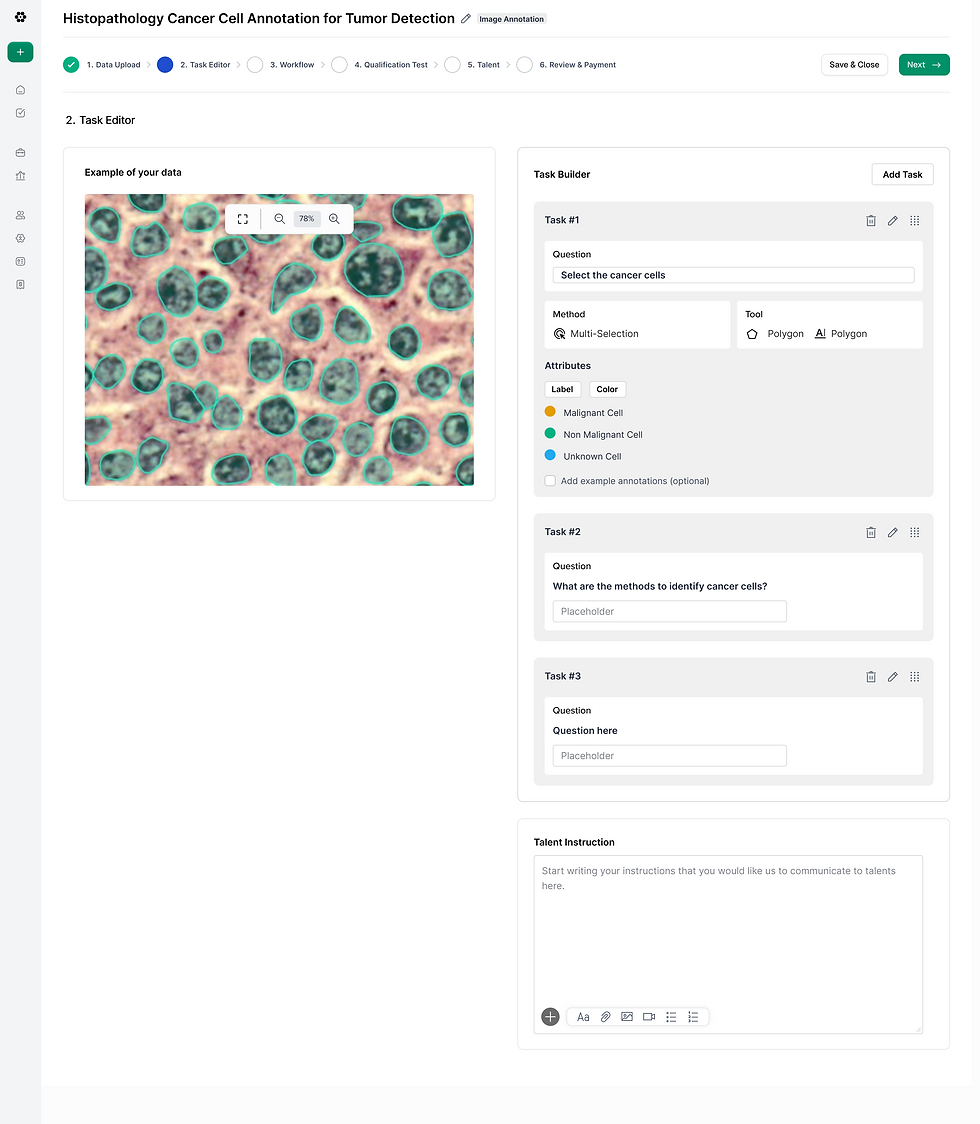
High fidelity mockups

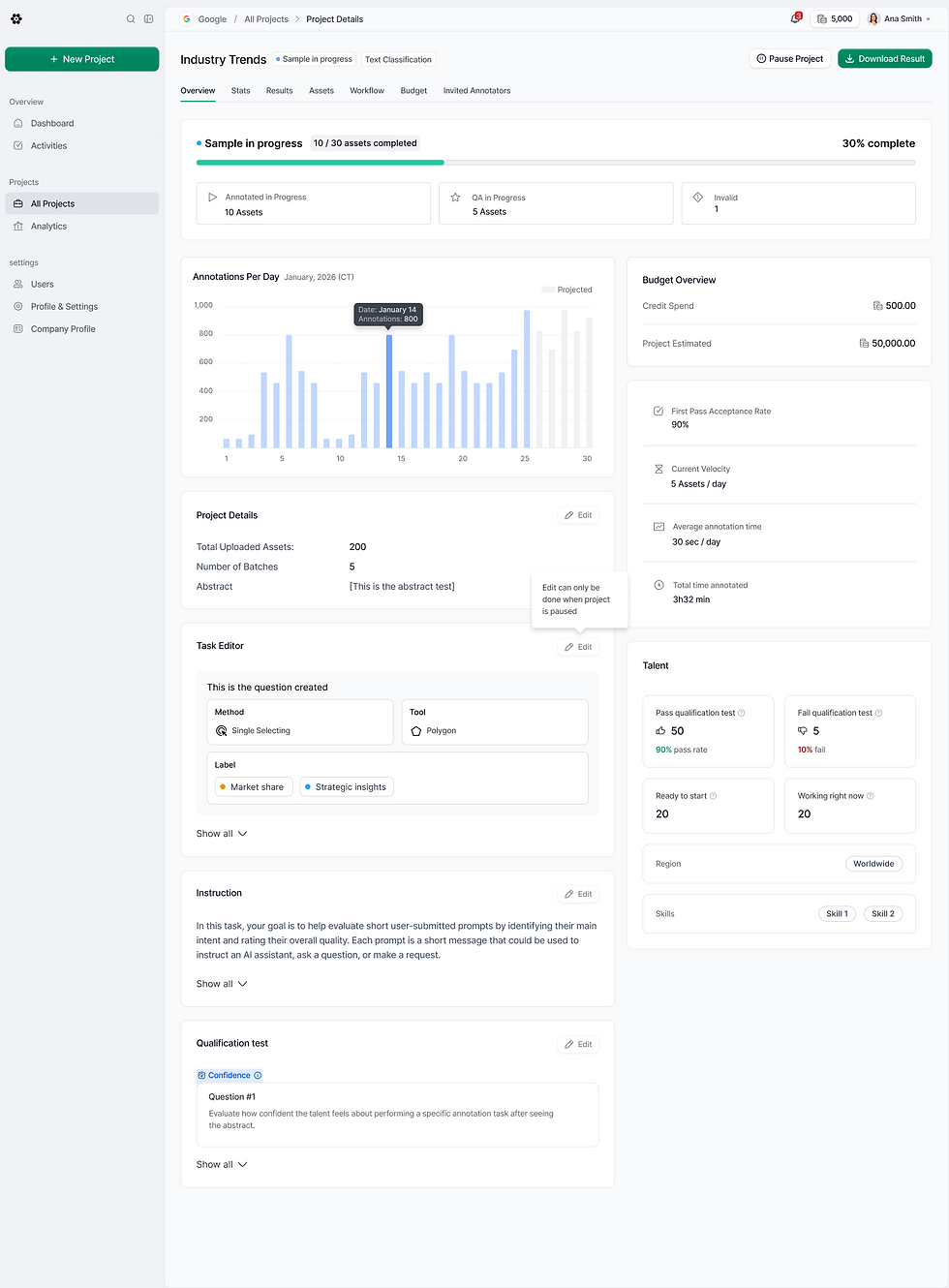
Client App: Project Configuration
The design challenge here wasn't just making complex workflows manageable — it was making them self-serve. PMs and data scientists needed to launch annotation projects without relying on an engineer to configure every detail.
I designed a structured project setup wizard that guides clients through defining tasks, building their label taxonomy, configuring multi-stage workflows, and setting a budget — all before a single annotation begins. A pre-launch budget estimator and consolidated payment flow eliminated cost uncertainty and reduced the friction that was previously scattered across the setup experience.
The result: clients could go from project idea to active annotation pipeline in a single focused session.
%201.png)
Design Process
This engagement demanded a lean, iterative approach from day one. Rather than lengthy spec documents, we ran structured requirement workshops to align on scope, then moved quickly into prototype cycles where the UI became the spec.
Requirements evolved through the work itself — each round of screens surfaced new edge cases and product decisions, resolved in real time rather than deferred. That pace kept the product moving and the team aligned.

Talent App: Annotation Flow
The annotation interface had to work equally well for expert ML practitioners and novice crowd workers — a harder design problem than it sounds when the task complexity ranges from simple image tagging to multi-span relationship annotation.
I designed a focused, task-by-task interface that surfaces only what annotators need in the moment: the asset, the tools, and the label set. Strong progress indicators and auto-save support long annotation sessions without cognitive overhead. Relationship annotation — linking two spans or objects — was redesigned from a keyboard shortcut into a fully visual interaction, making it accessible to any skill level without slowing down power users.
Qualification testing was built with clear pass/fail feedback that gates annotators into projects automatically, removing manual client review from the process entirely.


Image: high fidelity mockups